Impact Analysis for Jira
Explore the assistant, saved reports, and instance analytics.
Before you change
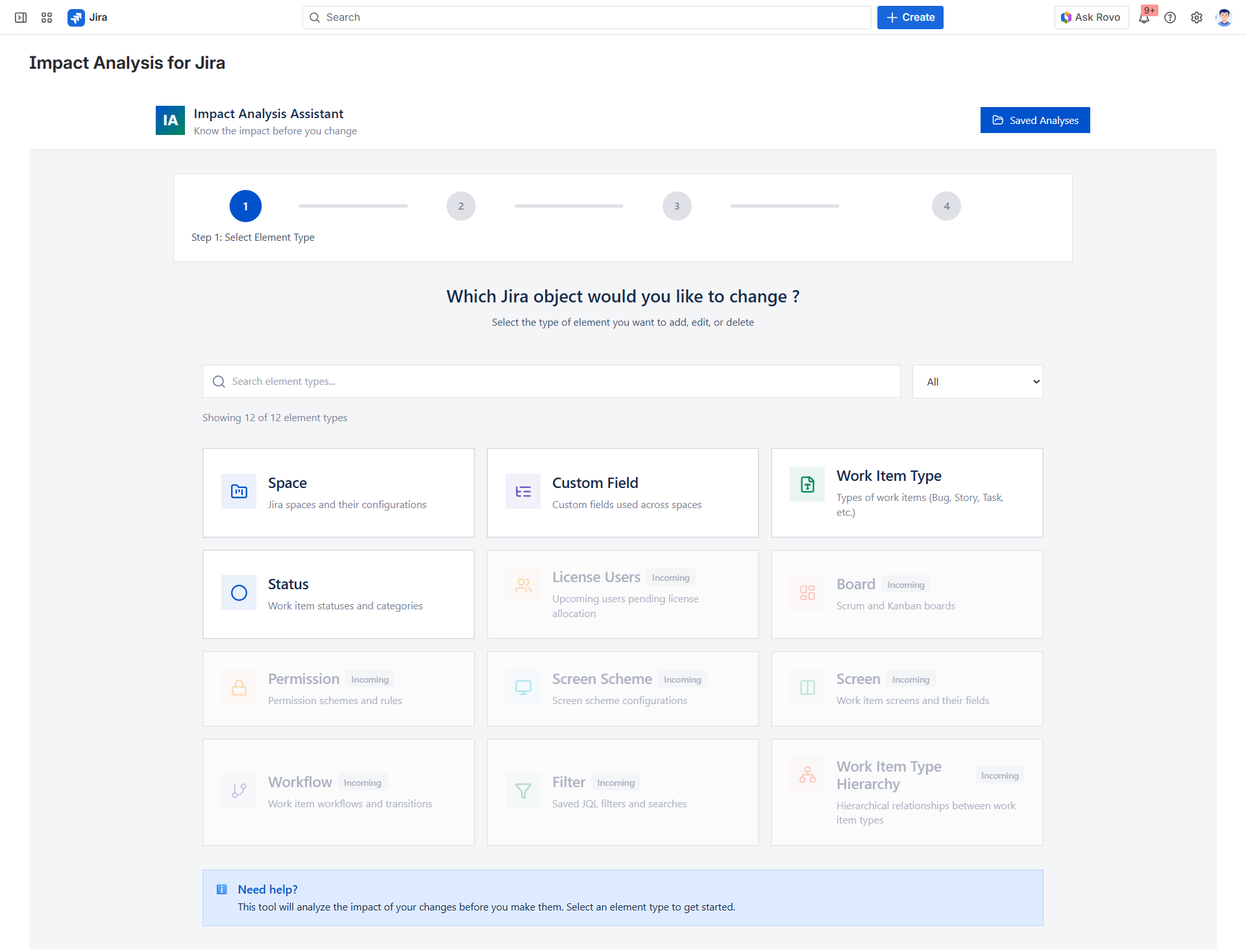
A guided wizard for every change
Select the object you plan to change, launch the scan, and review dependencies in one guided flow. The assistant supports fields, projects, issue types, workflows, screens, boards, dashboards, and automation rules.
Decision support
Audit-friendly
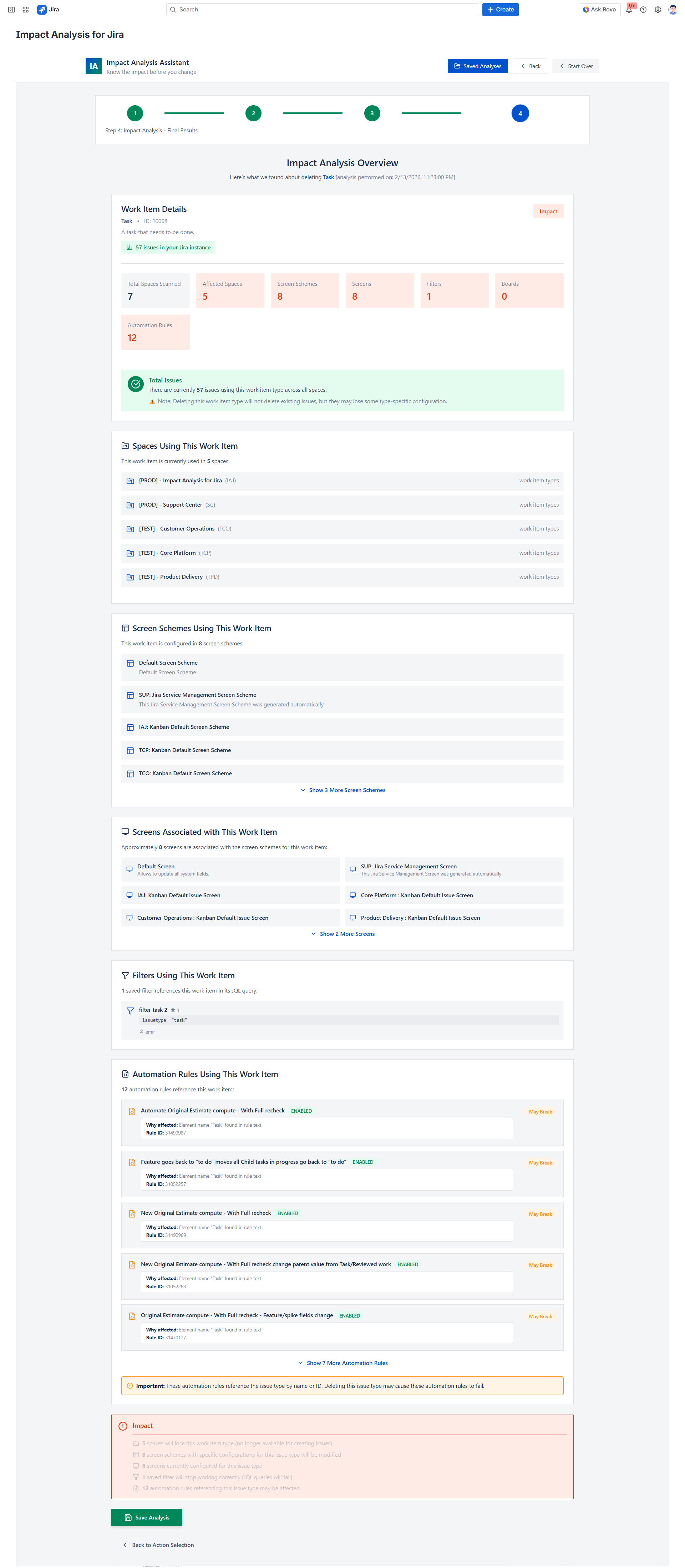
Find, compare, and audit changes
Saved reports create a permanent audit trail. Compare reports over time, attach them to change requests, and give compliance teams read-only visibility.
Decision support
Governance-ready
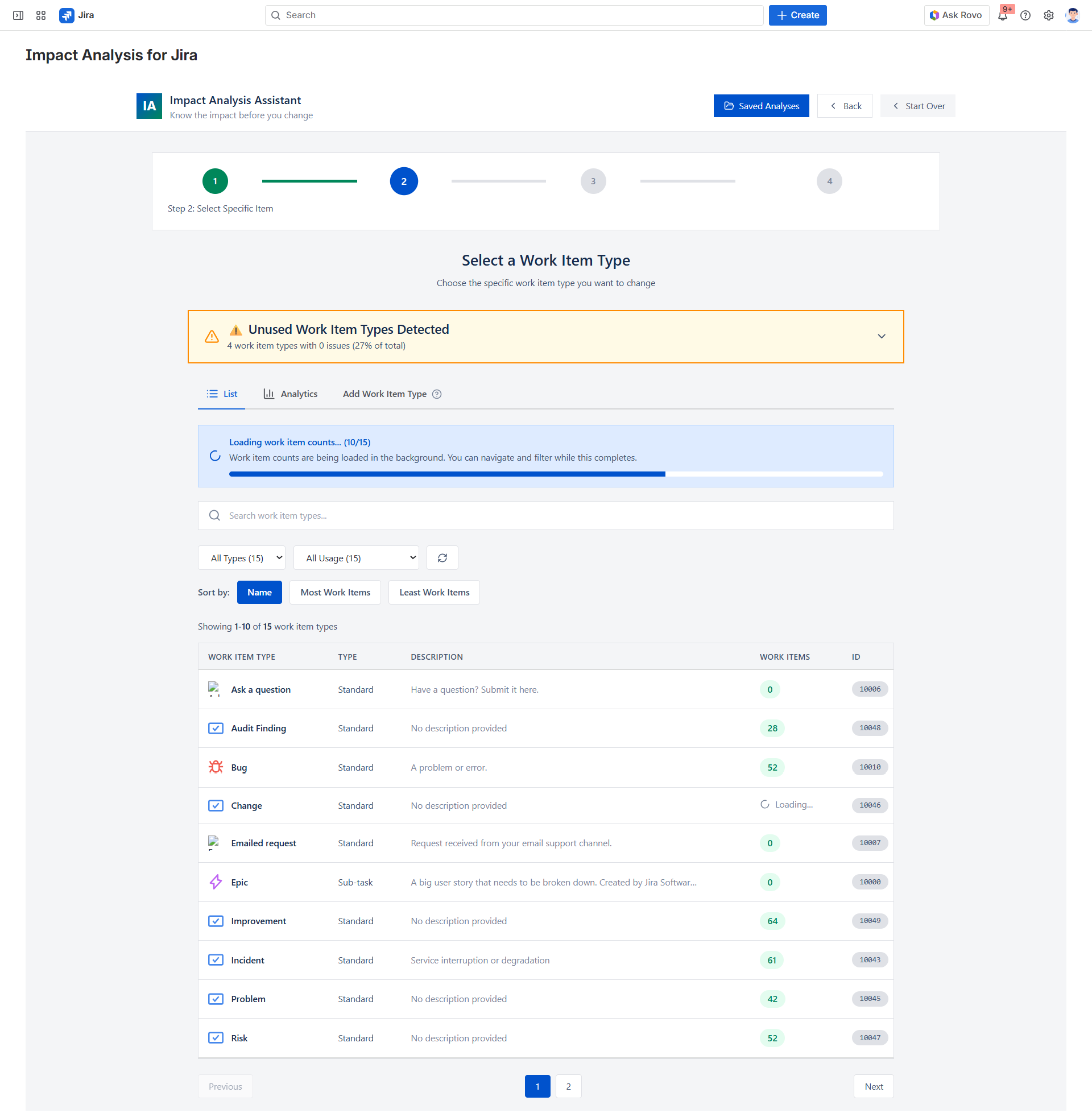
Configuration hygiene at a glance
Track field counts, orphaned projects, unused screens, and other indicators of configuration drift. Use analytics to prioritize clean-up initiatives before they become risky.
Decision support
Walk through a real impact scan
Frequently asked questions
What data does the plugin access? +
How is it billed? +
Is there a free plan? +
Does it modify my Jira data? +
Can I save and share results? +
How long does an analysis take? +
Does it work on Jira Cloud? +
What Jira objects does it cover? +
Ready to protect every change?
Try Impact Analysis for Jira from the Atlassian Marketplace.
Try on Atlassian Marketplace